Monday, May 28, 2007

My exclusive LG PRADA review

With the LG Prada AVAILABLE in stores for just a couple of days now, I'm so excited to be able to get my hands on a test unit for review! Thank you official LG distributor! Behold, the LG Prada!


It has been truly been an experience using such a revolutionary device for the first time. Totally no keypads or stylus to function with, just... the touch of your finger. For the purpose of this review, I will use mainly photos to do the talking, and walk you through each feature on this sexy Prada.

First Impressions
The FIRST thing that hit me when I held it in my hands for the first time was the size. It does NOT look as big as the pre-launch photos put it out to be. Its significantly smaller. And so light too. You'd be amazed. Switching it on, the word PRADA appears accompanied by a sound so similar to an F1 car racing by. A very nice (albeit shocking initially) "touch" from LG (pun intended). Then, the new touch screen interface to behold. Absolutely amazing. There's a (customizeable) sound when pressing every function / "key" on the screen. Another very nice touch. LG has to do this I suppose, being a touchscreen, otherwise you'd never know for sure whether you pressed the application / key. Also for your interest, when switching off the Prada, there's a strange sound like a car honking 3 times. (Note: these start up / shut down sounds can be disabled). Overall, I have good 1st impressions indeed with the Prada.

Physical aspects / build quality

  • As you can see, compared to my Treo, the LG Prada's noticeably smaller and slimmer. I can guarantee you its also lighter.
  • The LG Prada has a candy bar / PDA form factor, with only one colour variant; Black. Both the front and back are covered in black plastic material, with the sides made of chrome silver finishings. In my opinion, this just adds to the simplicity and sexyness of the Prada brand. One look at this device and you know it screams Prada. Very classy.
  • The front screen is a very big 3" display with only 3 buttons visible. The Call, Menu and Call-End buttons. Very simple.
  • On the left hand side, you will see a metal flap covering for charging / earphones, the volume increase / decrease keys (also functioning as the T9 word change when in SMS/MMS/Memo modes) and an "OK" key (which I'm still uncertain what it actually does)
  • On the right hand side, you will see a dedicated camera / mp3 player key (hold for a second or two, the Camera application activates)(press lightly once, the mp3 player activates) and the device lock / unlock key (Very important).
  • At the back of the LG Prada, you will see the 2 mega pixel camera (branded with Schneider - KREUZNACH. A partnership like Carl Zeiss with Nokia), a mirror for self portraits and a tiny LED flash. The LG brand is imprinted clearly at the bottom.
  • With the main feature being touchscreen, you may need to adjust to moving around with either your finger tip or your thumb. The thumb is most comfortable it seems, but you will need to find your way around to see what suits you the most.
Display / User Interface
  • The LG Prada supports 256k colours, which looks quite sufficient on the 3" display screen.
  • There are 4 main TABS within which contain different applications. (Note: For the photos, I used "Butterfly Theme" rather than the very cool default Black theme otherwise the photos would look rather dull being just black and white)
Phone TAB (Contains: Dialing, Contacts, Call History, Message and Browser)

Browser

Multimedia TAB (Contains: My Stuff, Camera, Camcorder, Voice recorder, Mp3 player, FM Radio and Games & Apps)

Organizer TAB (Contains: Alarm Clock, Calculator, World Clock, Unit converter, Calendar and Memo)
Alarm clockCalendar

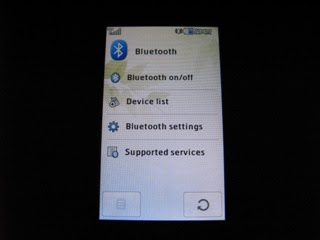
Settings TAB (Contains: Display, Profile, Settings, Bluetooth and SIM Service)


ProfileDisplayThemeBlack Theme (Super cool!)Blue ThemeButterfly Theme
Fish Theme
SettingsClock & Calendar
AnalogueDigitalBluetooth

Call quality / Messaging
  • The LG Prada's call quality is clear and I have no complaints here.
  • Messaging wise, it supports SMS, MMS and Email. Pretty standard so far. But how does it feel to text you ask?

  • It definitely will take some adjustments to. But you may like to know, like the Chocolate series before, LG texting interfaces are actually quite similar to Nokia's layout, especially with the "0" key being the "spacebar". To change the word in T9 however, on the Prada, you will need to use the volume side keys on the left. Not quite the most ideal location, but after a while, you should have no problems. Do note though, for the fast texters out there, you'd need to slow down a bit on the Prada. It needs a little time to register your finger feedback.
Multimedia / Camera performance
  • The LG Prada has pretty decent music capabilities. Quite standard you could say. Music and ringtone volumes are quite loud, so you won't have any problems here. My review unit did not come with any external memory microSD cards so I could not test the song playlist features.
  • Camera wise, I would say that although its a 2mp camera, the result is still a tad bit blurry for my liking. You do get a whole array of features though; zoom, multi shots, custom photo selections, flash, self timer etc. Here's a sample of what I took.

Other features
  • On the front screen, you will notice a small arrow close to the bottom; pressing it will bring out a menu similar to a profile quick launch (e.g when you want to select silent before a meeting etc). Quite a good inclusion by the LG designers I thought.

  • Once you select the clock type of your choice, under Display/Clock & Calendar i.e. Analogue, Dual Clock, Calendar or Digital, you will notice that you can move it across the display screen to any position that you like. Perhaps nothing worth mentioning you might say, but if it was a wallpaper of your loved one (for e.g) you wouldn't want a clock to block the any part of the wallpaper would you?

  • Battery life on the review unit I had was about 3 bars (out of 4) a couple of days ago, and after 2 days of use with constant experimenting and playing with the touchscreen, its only gone down to 2 bars. I'm not sure if this is indicative of the actual performance, but if it is, then it is very impressive.
What I liked about the LG Prada
  • Its easy to learn this new interface. After a while, you shouldn't have any problems navigating your way around.
  • Its so light and pocketable! Included in the inbox (which I did not have at time of review) will be an exclusive Prada phone pouch and cloth cleaner to wipe those fingerprints which WILL be noticeable on the screen.
  • Ring tones were loud enough.
  • Its PRADA. Most definitely one of the most attractive top rated fashion mobiles around today. No doubt about it.
What I did not like about the LG Prada
  • The glossy black material which attracts fingerprints and smudges. (Good thing they included a cloth though)
  • Texting could be challenging to master at first, being a touchscreen device. Furthermore, the screen is quite sensitive to accidental brushes. (Good thing there's auto keylock to counter this problem though). But of course, a regular keypad would be better in terms of responsiveness when texting / entering phone numbers.
  • Camera quality is mediocre.

d3xlabs recommendations
Previously having been put off by the LG Chocolate, I was initially sceptical about the LG Prada at first. But after going through each function and familiarizing myself with the glorious touchscreen, I have to admit, I grew to really like the Prada. It was a joy to just want to "touch" the Prada and hear the sounds after each press. On the other hand, sure there will be alot of smudges and prints, but you have to remember, it IS a touchscreen device. Its quite a revolutionary device by LG and you can't help but wonder what the iPhone will be like next year. Well, the LG Prada IS available now, so why wait for the iPhone?

My LG Prada rating - 4.5 stars
Selling price - BND1,288-00
(Use your DST Privilege card for better discounts)

AVAILABLE NOW, in limited quantities at Incomm Gadong.


Sunday, May 27, 2007

My Nokia N76 review

Back in my recent review of two slim phones, the Nokia 6300 vs SE W880i here, I focused on how mobiles now seem to follow the "slim is in" trend, like everything else. I'm still convinced this is the way to go from what I've seen so far. I'm also glad the manufacturers are listening to what the people want. Look at all the models being churned out lately, gone are the days of the big and chunky.

Back in the end of 2005, if you remember, Nokia released an onslaught of their new Nseries models, and amongst them, the Nokia N71. Truly revolutionary in those days (as if 2005 was that long ago). A symbian OS smartphone in a flip phone. It definitely created interest in a few customers out there. Sad to say though, in terms of sales, it wasn't the most popular model out there, especially here in Brunei. No one I knew owned one! It became a memory that faded in most...
.... until now.... a couple of months back, Nokia officially announced the Nokia N76, a truly worthy upgrade of the N71. I first saw the N76 launch photo on a magazine, and it was bright red (Cherry Red, as Nokia calls it). It has a better camera than N71, it has the updated S60 3rd edition Symbian OS, it sported different redesigned keypads and most of all, it was SLIM! I had a feeling this would be a seller, not quite like the previous N71. And now, I have it in hand, and I've spent a few days with it already. So is it worth the title as a N71 successor? Is it as hyped out as Nokia makes it seem? Read on....

Inbox
Nokia N76 inbox
1 x Nokia N76 unit
1 x Battery
1 x travel charger
1 x stereo headset
1 x 512MB microSD (with adapter)
1 x User Guide & other reading material
1 x PC Suite software CD

First Impressions
When I first received the N76, the box reminded me of the N95's packaging, with a "clean and simple look". Opening it up, it again reminded me of the N95's packaging. The N76 is encased in a center window, with all the other contents underneath. Taking it out, (Note: attempting to open the back cover was a real effort. More on this later), then putting in my SIM card (again more on this later) and the battery, I quickly powered it on. So far so good. The outer display on the front also seemed to complement the N76 well. But the real surprise came when I opened up the phone. The keypad! What a change. Feeling my way around, it took some getting used to initially.

My two main first impressions that hit me was (1) how slim the N76 really is in person, and (2) this redesigned keypad. That magazine article I read was right!

Physical aspects / Build quality

  • The N76 comes in two colour variants; Cherry Red and Black (as my unit here is). The N76 has a flip phone form factor, with the most obvious size factor being its slimness. Both the red and black are made from a shiny / glossy plastic material, with the front external screen 1.36" in size supporting 128x160 pixels. I have to say that this glossy material used is perhaps not the most ideal, as it really becomes a fingerprint magnet within the first few minutes of use. So, owners should get into the habit of regularly wiping it down. This is an issue.
  • Under the external screen, you will notice the media buttons, which basically allow you to play your playlists right from the front, without opening Music player or Gallery. What's also cool about these buttons is that it also allows you to read your sms's without opening the flip. Quite handy, especially if you're on the go.
  • On the top of the N76, you will find the power button, a 3.5mm audio jack (great inclusion by Nokia) and a rubber flap which houses the mini USB slot.
  • On the left side of the N76, you will see the charging slot and also, a mini plastic flap which, once opened, reveals the microSD slot. Some reviews I've read mentioned that it doesn't close properly. On my unit, I had no problems.
  • On the right side, you will find the increase / decrease volume keys (which doubles up as the camera zoom function as well), a dedicated Gallery key (another common feature found on newer Nokias now) and a dedicated Camera button.
  • On the back, you will see the camera as well as the back cover for the battery. When I tried opening it up initially, it was really difficult! Although just being made out of plastic, this was surely one tough cover to open but eventually I managed to slide it out carefully. I suppose this is preferable over a cover that slides out too easily.
  • I wish I had a Motorola V3 to compare the N76 side by side with, because its also almost uncanny that both models look somewhat identical with the N76 being slightly longer and wider. But one major similarity that the N76 shares with a V3 is the keypad. Take a look. Isn't it so V3-ish? And I can tell you, the feel is also the same.

  • Another physical aspect, is the SIM card holder. As you can see from the photo, Nokia must be trying something new here with the new design. It does its job, don't get me wrong, but I just can't help feeling what would happen if this little removable holder gets lost? Then what?

  • Holding the N76 in hand, it was quite nice to hold and easy for big hands like mine to navigate around single handedly. However, with most flip phones, you would usually be able to flip it open with just the flick of a thumb or finger right? The N76 doesn't do that! Maybe its due to the design or structure but there's just no way to open the N76 without using your other hand. This was really an issue for me. You will understand what I mean by looking at these snap shots. It just doesn't spring open at all. This could be a let-down for some.

Display / User interface
  • The N76 sports a 2.4" QVGA screen supporting 16 million colours, with the S60 3rd edition Symbian OS, as mentioned before. The screen resolution looks very good, as with the N95. I won't dwell too much on this as it is identical to most other newer Nseries models; customizable themes / wallpapers, grid / list menu possibility etc. If you're an existing Nokia user, it will be very familiar. But if you're V3 owner thinking of moving across to Nokia, this could be the deal clincher for you, a Moto feel on a Nokia smartphone.
Calls / Messaging
  • Call quality and loud speaker features are typical Nokia; excellent. So no point expanding on this.
  • The N76 supports the usual email, MMS and SMS capabilities. What I will mention about it is with regards to the new redesigned keypad. It will get some adjusting to (unless you're an existing Moto user) Maybe I'm more used to some sort of feedback when I press keys, so the N76 was a refreshing experience for me. But after a while of using it, I managed to get up to speed and was sms-ing away like before.
Multimedia / Camera performance
  • The N76, music wise, has a pretty decent music player and Radio. Accessible from the external flip, or from going through the menu within, it is quite loud on maximum volume. (You will definitely have no problems hearing your ringtones) Also, with the possibility of using your own personal ear phones on the N76's 3.5mm jack, the performance is quite good I have to say, for Nokia's standard. But I do have a gripe though; with the ear phones plugged in, its unusual that the N76 will not be able to be fully opened i.e. the jack would stop it. Maybe this is a design flaw, but I suppose you could live with it.
  • Camera wise, the N76 has a 2 mega pixel on board, with LED flash. You can use the camera with the flip closed or open, accessible through the dedicated camera button. Performance wise though, it is average. Unless there are great lighting conditions, the results will be noisy or slightly blurry. The LED doesn't contribute in any major way either.

  • Overall, as I mentioned, the N76's camera is average. And I wouldn't print the photos either. Its just ideal for those who just want to capture the moment. As for the video capabilities, again, quite mediocre and just sufficient to keep the average user happy.
What I liked about the N76
  • Its so pocketable and slim. I often kept it in my shirt pocket at work, and you wouldn't realise that there was actually a mobile in there. Very reminiscent of the V3.
  • Battery life on the N76 is noticably good. I sent my sms's, made calls, took some photos, captured some videos, played some music, messed about with other applications, and the battery meter did not move significantly. So lasting a few days will not be a problem.
  • The mirror surface on the external screen will no doubt be a useful feature, especially for the ladies. No mirrors around for the last minute make-up touch up? No problems, the N76 is right there for you.
What I didn't like about the N76
  • The glossy materials used. After a few minutes of use, my prints were all over the N76. Without any included pouches, this meant that I often had to use find some source to clean the mobile (my t-shirts were usually this "source")
  • The non-existent flip action. I would at least expect a flip phone to "flip" open with one hand. Its not to look cool or anything, but more on the functionality. Most people would find it a hassle to use both hands.
  • The camera is of mediocre quality.
  • The "C" (clear) button might be a little inconvenient during texting.
d3xlabs recommendations
Throughout the few days of use, the N76 proved to be quite nice to use. Its definitely as slim as it looks. This alone would attract many a buyer. Function wise, I had no problems navigating around the N76, but of course, the main gripes I had were the fingerprints galore and the two-handed flip usage. But that's me. I do believe the N76 is targeted towards, not the business users (although being called a "smartphone?") but the style conscious or the fashionistas out there, who will probably be willing to overlook some of the flaws anyway. Besides, some people buy phones just to make a statement right?

My N76 rating - 4 stars (Only just though)
Selling price - BND798-00
(Use your DST privilege card for better discounts)

Tuesday, May 22, 2007

COMING SOON - LG PRADA!

Latest release soon to be in Brunei!

For those of you fashionistas, and even techies, here's iPhone's first challenger, the very slick and sexy LG PRADA. A first ever collaboration between mobile and fashion giants, LG and Prada.


Look at those screens! iPhone get ready to be challenged! Here's a brief specs overview:-
  • Display - TFT Touchscreen, 256k Colours, 240 x 400 pixels, 3 inches.
  • Memory - MicroSD support
  • Camera - 2megapixels with flash (no autofocus)
Having only just been rumours in the last few months, you will now be able to get your hands on these very limited edition units in a couple of days.
Incomm will be selling it at a very reasonable price of BND1288-00 upon its launch here.

Will keep you posted.

Monday, May 21, 2007

Motorola - Official releases - RAZR2 and Q9

This COULD be an interest for some, a few days ago, Motorola unveiled the official announcement of 2 new models.

Motorola RAZR 2 (V8/V9)

  • Available in a non-3G version and a 3G version, the variants will be known as V8 and V9 respectively. (Both are identical in design and features)
  • Size wise, its now 2 millimeters SLIMMER than its predecessor
  • Display wise, it has a 2.2" 262k colour TFT main screen with 320 x 240 resolution, and a similar 2" secondary screen on the outside.
  • Runs on Linux-based OS platform (First seen on the Z6)
  • Stereo bluetooth support, micro USB slot for data connectivity
  • 2 megapixel camera
  • External music keys under the external screen
  • Memory capacity (oddly enough) - 2 variants; one with 420MB and the other with 2Gb (meaning, no external memory slots)

Motorola Q9

  • A 3G enabled smartphone
  • Size wise, rounder and slicker looking compared to the Q.
  • Full QWERTY keyboard
  • Display wise, it has a 2.4" 65k (???!) colour TFT main screen with 320 x 240 resolution
  • Runs on Windows Mobile 6 OS platform (An upgrade from the previous Q)
  • 2 megapixel camera (upgraded from 1.3 from Q)
  • Memory capacity - microSD support (from miniSD on Q)
From what I've read online, the RAZR2 could potentially be another popular model for Motorola, appealling to those owning the existing RAZR V3, or those looking for (even) slimmer mobile phones. The Q9 on the other hand, although better than its predecessor, it will have stiff competition from the smartphones already out there from Samsung, Nokia, Palm, Dopod etc.

When it will arrive on Brunei shores, I am uncertain for now. Will update as soon as I get wind of it.

Tuesday, May 15, 2007

Accessories - My Sony Ericsson FM Music Transmitter review

This will be the first ever accessory review I've ever done, aside from my previous reviews on my Treo's premium leather Vaja case here.

In this day in age where mp3 players have become the norm, and with car makers like Mercs, Hondas, Fords etc all jumping onto the bandwagons providing connectivity options for iPods and such, more and more people are finding it so much more convenient to just play their song selections through these so called FM transmitters.

I never really paid much attention to this trend really, because for me, I'm still the standard conventional cd player-in-my-car kinda guy, not too keen on venturing into the messy world of plugging in some iPod and funny iTrip or iLove fancy smancy device just to listen to my mp3's in the car. Yes yes, I actually PREFER physically taking out my single cd's and choosing another from my cd holder to pressing "Next.... next.....next" on any mp3 player anyday.

Until, I was introduced, to a nifty lil invention that's (apparently) been around for a while, Sony Ericsson's Music FM Transmitter MMR60. When I saw the size and its package, I knew I had to try it for myself.

The package
The lil'MMR 60


  • The MMR 60 comes in a very simple package, and is enclosed in a neat little tin container about the size of a lady's compact mirror probably.
  • In my hand, its even smaller, being slightly larger (only slightly) than my big thumb. Its also as small as iPod's latest version of the Shuffle. Amazing.
MMR 60 with SE w810
  • After I took it out, I was dying to test it out with my SE w810 and since I was heading out for a drive somewhere, I decided it was as best a time as ever.

MMR 60 - Setting up
  • Reading the package, its clearly stated that the MMR 60 is meant for use with (SE) "devices incorporating Fast port e.g. D50i, K750, W550, W600, W800, W900, Z520". If you noticed, my W810 wasn't even mentioned there! But, let me assure you, it worked all the same. The MMR 60 will also work with the newer SE models like K610, W880 etc, as long as there's a Fast port (which a majority of SE phones have anyway!)
  • An attached mini booklet gave further instructions on syncing the MMR 60 with your car's radio frequency; (1) In phone mode, open WALKMAN, (2) Receiver: Tune into an unused ("white noise") frequency channel, (3) Attach MMR 60 to your phone, (4) Phone: In the pop-up, select the same frequency as for the receiver. To select the suggested frequency, press OK. To manually enter a frequency, Edit. Delete the suggested frequency, enter the frequency you want (use * to enter .) and press OK twice.

  • The MMR 60 is also powered by the phone's battery, so this makes it SO much more convenient than sticking anything into the car charger or with any wires lying about here and there.
  • Once connected, the MMR 60 emits a pulsating glow as long as its connected to a phone. The instruction booklet does give tips on how to switch this "glow" off but I didn't bother with it. It makes the MMR 60 look cool in my opinion.

My Experience
  • It did take me quite a while to set up the MMR 60 with my car's radio receiver, but I fault that to the fact that in Brunei, its apparently difficult to find an unused frequency!? It seemed as if most frequencies I thought were unused, had some sort of interference from a radio channel somewhere else. So, its not MMR 60's fault.
  • Plugging it in, the default frequency (as you can see from the photos) was 101.8. After messing about with some frequencies, I decided to try 87.00. It worked!
  • With my fully charged w810, I set off on my morning drive (I was off that day) at about 6.45am, listening to my choice of about 50 songs I had in my W810's memory stick, right up to about 2.00pm. No, I wasn't in my car driving around Brunei that long (where would I go? Kuala Belait and back 4 times?), but I did let the W810 with MMR 60 play continuously as I went about running my errands and doing my own thing during that testing period.
  • The sound quality is what you'd expect from listening to your radio. Not CD quality, but quite clear nevertheless. I was impressed!
  • At 2.00pm, when I checked my w810, the battery had only gone down to about 41%. Quite a good result I'd say. Because seriously, here in Brunei, when will the average daily Bruneian EVER sit in the car or go for a journey that's 7 hours long!
Conclusion

  • What I really loved most about the MMR 60 was the fact that there weren't any wires to be hassled by. This made it so much more convenient for me to listen to my mp3 songs which I carry in my W810 anyway. And we all know how reliable SE's battery life is, so I really didn't have any complaints about the phone not being able to handle this output. A couple of calls did come through, and cleverly, the MMR 60's stops and starts where it left off too.
  • Of course, the limiting factors for you to consider is probably the size of your SE's memory stick (Its not iPod beating in terms of song capacity) and the time it takes to fiddle about with finding "unused" frequencies (but then, maybe its just me).
  • With the cool tin container that houses the MMR 60, I found myself looking forward to bringing it out everytime I went out for a drive (in my case, that's quite often).
  • I would definitely recommend this to any of you SE owners out there. Its convenient, its small, its not overly priced too. Selling at BND78-00, its quite a cheap investment for a device that'll let you listen to your mp3's in your car, FROM your phone! Go and get one!

Saturday, May 12, 2007

Buy Original.

The other day at the office, a colleague of mine showed me a piece of paper which he thought would interest me. It was a price list of all the latest phones from Nokia, Sony Ericsson, Samsung and Motorola. The prices listed were all about 40-50% cheaper than the prices you would find in the market here! I was amazed! Unbelievable almost!

Of course I asked him where the phones were from. He told me it was "better not to ask"; in other words, these were black market units. No trace of source of origin and no warranties. NO WONDER they were selling at dirt cheap prices! (Note: There was a ironical spelling typo error on the list which made us laugh too. Instead of Sony Ericsson, it was spelt as "Sonny Ericsson". A give away? Another reason why they are so cheap maybe??)

It made me think though. Would people in Brunei really consider buying these phones knowing that there was no warranty? Would the dirt-cheap prices be enough to sway them away from thinking logically on parting with their hard earned cash?

The sad and honest truth is.... there ARE people here who would. Locally, look at all the "unoriginal" things you can buy just by walking around town, whether its in Bandar, Kiulap, Gadong... the Mall... anywhere. You can get pretty much anything you want and that includes mobile phones too. How sad.

It is from this list my colleague showed me, that I decided to write a post to STRESS how important it is to buy ORIGINAL mobile phones and accessories. Its SO vital for people to understand this one principle; If you expect your tiny "investment" to last you for a long period of time, you HAVE to buy originals. No doubt about it.

For me personally, 99% of the mobiles I have been using over the past few years have all come from one source. (And I'm talking ALOT of mobiles). This company has been around for many many years, and its definitely not an unfamiliar name to you, if you're from Brunei. That's right, INCOMM in Gadong. Before any of you start thinking I'm beginning to be biased in my views here, let me tell you a story.....

The year is 1999. My first Nokia, if you read here, was the iconic Nokia 3210. Back then, as I had just graduated and was temporarily unemployed, and obviously not being able to afford it for myself, my folks kindly bought me the set (replacing my Sony CMD Z1 you see in the picture. Yes, its that ancient). They bought it from a rather famous mobile shop in Seria (back then)(And I won't mention which one. No flaming here). After being so thrilled with finally owning this super cool Nokia, after two weeks, it suddenly DIED on me. Due to no fault of my own! I never dropped it at all and certainly never spilled water on it too. Disappointed as I was, I brought it back to one of their branches here in Bandar for a replacement. Apparently, it was the battery charger AND the motherboard of the 3210 that was faulty. To make matters worse, they also REFUSED to replace my 3210, but rather tried repairing it at their "service centre" (also in the shop), and on top of that, they couldn't guarantee me that my 3210 would work after that, even though it was under warranty!!! To cut a long story short, since my folks knew the boss of the company, he reluctantly instructed his staff to give me a new set.

What an impression it gave me, as you can imagine. To this day, I have vehemently boycotted this company (still around today) and have never ever supported their business in any way since. I've even directed many a friend away from them too.

Soon I started my first job, and after a few months, as I could (then) afford to buy any phone I wanted (the madness begins?), I knew I wanted the classic Nokia 8210. With the bad experience I had earlier, I started looking around, and eventually decided to buy it from Incomm. Afterall, they were (and still are!) genuine Nokia distributors in Brunei. (And there began my fiercely loyal affiliations with them). Nothing compared to their guarantee that ALL their products / accessories were genuine and that their service technicians are trained by Nokia too. Needless to say, I encountered no problems with my 8210 at all, and sure there were a couple of times my subsequent mobiles needed to get repaired, but their service has always been a benchmark for me. Unbeatable.

So you see, even today, when I buy a mobile, for me, the first place I would look to is Incomm. Sure their prices may be found to be "slightly" higher as compared to the competition, but you can definitely rest assured that your mobile, which you spent your hard earned cash on, is o-r-i-g-i-n-a-l. Straight from the manufacturer. And if something were to go wrong, you can count on them honouring the warranty too. Of course, this doesn't apply only to Nokia. They are also the official distributors of Sony Ericsson, Motorola, Samsung. I heard, other brands will be coming soon too. I do not aim to sound biased here, but I've been buying mobiles long enough to know where the reliable sources are. Take my word for it.

So, all you mobile phone lovers.... be wise out there, make sure your mobiles are the real deal, make sure your batteries are the real deal, make sure your chargers / accessories are the real deal too. Don't fall prey to other shops, like I did many years ago just because prices are better, and certainly, don't fall prey to lists of mobiles selling "Sonny Ericsson's" either. Cheaper doesn't always mean better, remember that. And, do your research. 

Saturday, May 05, 2007

My MotoRizr Z3 review

There was a time when I always said to myself, I have to be more balanced, and review every other mobile phone brand out there, thats not a Nokia and Sony Ericsson. But you have to understand, in Brunei, Nokia and SE rank in the top 3 brands that a large proportion of the population use. They just sell well here! No doubt about it. (No. 3 being either LG, Samsung or Motorola in my opinion).

Well, that time is here. My first encounter with a Motorola. I decided I'd try venture out into the unknown with this review, PURELY because I didn't want to be labelled as a "phonist" (Like a "racist", except with phones) by dear old Blackdiamonds. (And btw, a BIG CONGRATS on the BIG news on the engagement and landing yourself that huge 1 carat rock! Like I told you, its not the Motorola Q you wanted, but hey that blinding sparkle you're wearing on your finger is WAY better ok!?).

So anyway, I've spent close to a week with this Motorola. I must admit though, I did feel lost at the start, almost like how to pronounce the name R-I-Z-R, but eventually, I managed to find my way around the phone. I sure like phone challenges. So what do I really think about it? Is it as good as it looks? Read on....

Inbox
MotoRizr Z3 inbox
1 x MotoRizr Z3 unit
1 x Battery
1 x Travel charger
2 x User Guides (English and Malay languages)
3 x Quick start guides (English, Malay and Chinese translations)

First Impressions
  • When I first saw the box for the first time, I thought to myself, "what a unique design". Until, I tried opening it up. It took me a good few minutes would you believe. I attribute this to the fact that I was very cautious and quite determined not to rip any part of the box apart. Apparently, its supposed to slide up (like the phone itself) and the section where the phone is located lifts up and reveals the rest of the contents underneath (which I have to say, seems rather spartan i.e. bare?)
  • Taking the phone out from the box, then slipping in the battery and sim card, my immediate impression is that it had quite a good solid feel and weight. I have to say though, the Rizr does look good. Now lets see how it REALLY performs....
Physical Aspects / Build quality

  • The MotoRizr Z3 comes in only one colour; Black. It has a slider form factor, which has a nice snap sound when pushed up or closed. Being a new set, you'd also notice that virtually every part of the Rizr is covered in plastic. A bit of an overkill Motorola?
  • On the left hand side, you will see the Dual volume button and Voice recorder button. Oddly, when I pressed the Voice recorder button, the bluetooth menu always popped up. I'm not sure why this was the case. Maybe a firmware issue? Maybe user issue? (Hey this user ain't that familiar with Motorolas)
  • On the right hand side, you will see the dedicated camera button, the mini USB slot and a voice command button.
  • The keypad, when the slider is pushed up reveals the all too familiar layout as found on the ultra-popular Moto Razr V3. It looks good honestly. Using it however, was a whole new experience altogether for me. But, I will say this, if you're used to the Razr v3's, then the Rizr Z3 shouldn't take much of an adjustment for you.

  • The two soft keys on top can be configured according to your preference. There is also a new "C/back" button which is similar in function to the Sony-Ericsson models. It also acts as a correction button too. The backlighting of the keypad is in deep blue and is evenly illuminated (as you can see from the photo)
Display / User Interface
  • The Rizr sports a 256k colour screen with 176 x 220 pixel resolution (again, similar in size to most Sony Ericsson models). However, I wouldn't compare this Rizr with any SE's screen personally. But, having said that, its enough for the Rizr's features.
  • The user interface looks identical to Razr V3 and other Moto models, which has always suffered from criticisms on being too boring and simple. So I won't spend too much time on this but I'll just let the pictures speak more. But I will admit, it was pretty confusing at first, trying to move around the menu. And after a week using it, its still confusing.

Calls / Messaging
  • Call quality has been good. Clarity is there, reception is there, so overall, no point mentioning anything else on this.
  • Messaging wise, Rizr supports SMS's, MMS's and emails. Having previously tested the T9 for Nokia, SE, LG and Samsung, the T9 on this Moto felt close to SE in terms of using the directional pad to move down to select the words. Of course, the "space" on Motos is the "*" key, compared to "#" on SE's and "0" on Nokias/LG's. Honestly, it didn't feel comfortable. I didn't like it. Probably only Moto owners will like it. And if you're moving from Nokia or SE, I think you'd struggle too for a while.
Multimedia / Camera quality
  • To make it quick, the Rizr is not a music phone. It won't compare to the likes of SE's Walkman series or even at worst (dare I say), Nokia's Music Edition series. Of course, the speakers are loud enough for you to hear your songs and ringtones, but I wouldn't replace my iPods with the Rizr basically.
  • Camera quality, the photos I did snap, did not turn out as good as I'd expected, so I'm doing the Rizr justice by not posting it here. Maybe the 226k colour screen played a part in this too. Maybe not? But reading other reviews here, it seems that the camera isn't too shabby, and will probably satisfy you on those quick random snaps.
  • Video quality was mediocre for me. I mean, it'll do the job, but just don't expect Nokia N95 / N93i qualities.
What I like about the Rizr
  • The battery life. Using it for close to a week, with my usual sms-ing, a couple of calls (using loudspeaker too), playing some songs and snapping some photos, the battery meter BARELY moved! Impressive! But, I'm not sure if it was just this unit, or is reflective of every other Rizr out there.
  • Feels solid and looks good.
What I didn't like about the Rizr
  • Outdated User interface. C'mon Moto, you have to update the looks at least!
  • Not 3G?
  • Uncomfortable keypad use. (But, this one could be just me)
  • Simplistic features; Calendar, alarm clock etc
d3xlabs Recommendations
To be honest, I am kinda glad to be able to return this unit. Although it wow-ed me in the looks department, practically, it lacked in many areas for my taste. I tried to give it some sort of a fighting chance, but overall, I'm just not that impressed with the RIZR. Having said that though, I'm pretty sure it would appeal to existing Moto owners at least. And just to prove it, during my time of testing, I did show it to a friend who liked the looks and actually seriously considered buying one! Keep in mind though, that her current phone is the RAZR V3. So I guess, that says it all doesn't it? For me though, I'd give it a miss.

Sorry blackdiamonds, but you can't say I didn't give it a chance. Well, there are more brands out there, so don't label me a phonist just yet.

My RIZR rating - 2.5 stars
Selling Price - BND428-00 (Use the DST privilege card for better discounts)
From - Incomm (all branches)

Wednesday, May 02, 2007

Hurry while the offer lasts!

Its been a fairly hectic week at work, lots to do. Managed to squeeze some time over the weekend to visit Incomm Gadong and check out their special promotional offers which coincide with the launch of the much-awaited Spiderman 3.


This offer expires on 4 May 2007, so those of you interested in having limited edition Spiderman wallpapers, themes and a free gift, now's your chance! Only with Sony Ericsson. The offer's for the K800i, K550i and K610. I managed to check out the gifts for myself. Especially the T-shirt! Nice!

Incomm's offer, in case you haven't seen it in the Bulletin, is here. Check it out.